



Over the past year, VPN in Pakistan have experienced something confusing. Their websites fail to load.
Either servers stop connecting. Some apps briefly disappear from search results. Social media fills with claims that VPNs are “banned.” Its as if, PTA (Pakistan Telecommunication Authority) has restricted its use.
But that description is inaccurate.
What is happening is more technical and layered. VPN service in Pakistan are not uniformly banned. Instead, access is being filtered at different points in the connection chain. To understand what still works, you have to understand how enforcement actually happens.
Save up to 73% and get 2 Years+ 4 Months FREE
VPN in Pakistan: Current Situation
Internet filtering in Pakistan has increasingly focused on restricting access to specific VPN provider rather than eliminating encrypted traffic altogether. Many VPN websites are blocked at the domain level. Some known server IP ranges are blacklisted. At times, specific connection protocols are throttled.
However, encrypted internet traffic as a whole continues to function. Online banking, corporate VPNs, HTTPS websites, cloud software and international platforms all rely on the same underlying encryption standards.
This is why VPN usage in Pakistan has not disappeared. It has become more adaptive.
To understand why, we need to break this down into layers.
The Three Layers of VPN Blocking
Layer 1: Domain and Website Blocking
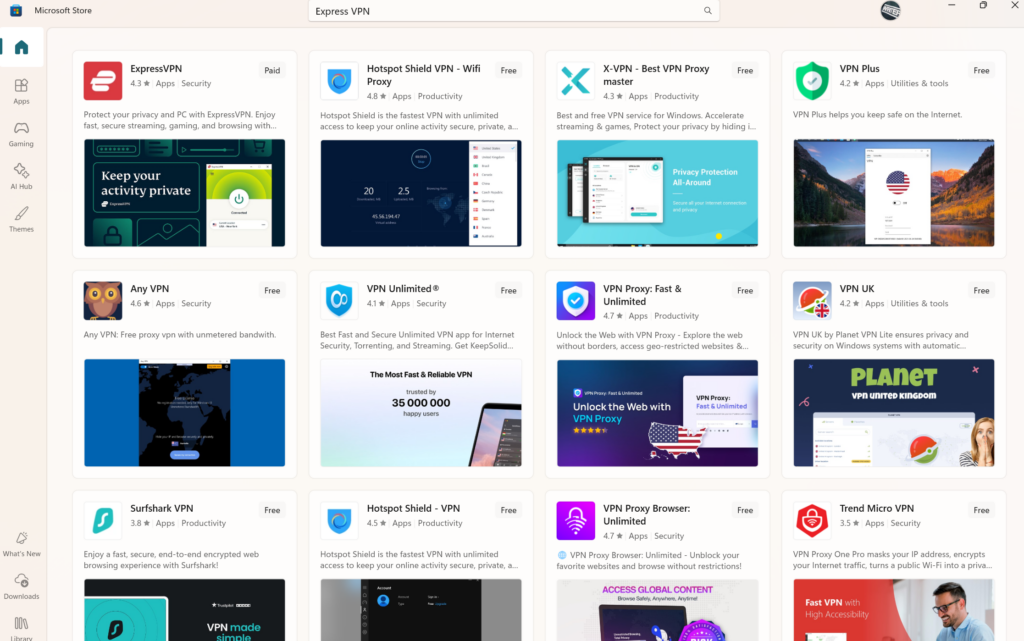
The simplest form of restriction targets VPN websites. When you type Proton VPN, the domain does not load. You can try the same with Surfshark VPN, Nord VPN, ExpressVPN, Cyberghost VPN, and many more.
This prevents new users from downloading the software, update the software and buy their VPN service.
This type of blocking works at the DNS or ISP filtering level. It is relatively easy to implement and easy to reverse.
What it does not do is disable VPN apps that are already installed. If the VPN service application is on your PC, it communicates directly with VPN servers and connect just fine. It does not need the homepage to function.
Domain blocking limits discovery. It does not eliminate VPN usage.
Layer 2: Server IP Blocking
A more advanced approach involves identifying and blocking known VPN server IP addresses. When those IPs are blacklisted, connections to those specific servers fail. This creates temporary disruption.
However, major VPN providers operate thousands of servers across multiple regions. They rotate IP addresses, shift traffic routes, and deploy new infrastructure when old ranges are blocked.
This becomes a continuous enforcement cycle. Blocking one server does not block the network permanently. It forces providers to adapt.
Smaller VPN services often struggle here. Larger, infrastructure-heavy providers respond faster.
Layer 3: Protocol Filtering and Deep Packet Inspection
The most complex layer involves inspecting traffic patterns rather than just blocking domains or IP addresses. This method attempts to identify VPN protocols such as OpenVPN or WireGuard based on how the data packets behave.
But here is the structural challenge.
Modern VPN protocols are built on top of standard HTTPS encryption. The same encryption secures banks, enterprise SaaS platforms, cloud storage and secure messaging apps like Signal.
Some providers also use obfuscation techniques that make VPN traffic resemble regular secure web browsing. This makes detection harder without affecting legitimate encrypted traffic.
Aggressively blocking encrypted protocols risks collateral disruption across the broader digital economy.
That is why enforcement tends to focus on selective degradation rather than complete shutdown.
Save up to 73% and get 2 Years+ 4 Months FREE
Desktop vs Mobile: What Actually Works
Understanding device differences matters when using a VPN in Pakistan.
On Desktop
If you already have a VPN application installed on Windows or macOS, it will often continue functioning even if the provider’s website is blocked. The app connects directly to available servers.
If a specific server fails, switching locations usually restores connectivity. Some providers include stealth or obfuscation modes that improve reliability on restrictive networks.
Browser extensions may fail more often than full desktop applications because they depend more directly on provider APIs and login endpoints.
The desktop app is generally more resilient than the browser extension.
On Mobile
Mobile experiences vary depending on ISP and app store visibility.
On Android, users can install a VPN app through the Play Store when available. Some providers also offer official APK downloads through alternative domains. Once installed, the app typically continues to function unless specific server IPs are blocked.
On iOS, installation depends entirely on App Store availability. If the app is already installed, it usually continues operating normally.
In most cases, enforcement affects new installations more than existing users.
Hold Up! Do you know how to pick a VPN that is best for you? Yes/No. Read our guide on how to choose the best VPN. Privacy standards have risen and your online safety is vital now.
Why VPN Demand Persists in Pakistan
VPN usage in Pakistan is not limited to bypassing content restrictions. It is tied to:
- Freelancing platforms
- Remote corporate access
- Secure client communication
- Public WiFi protection
- Access to global SaaS tools
Pakistan has one of the largest freelance workforces in the region. Secure cross-border communication is part of daily economic activity. That creates structural demand for encrypted connectivity.
When a tool becomes economically embedded, eliminating it becomes more complex than blocking a website.
How to Access and Use VPN in Pakistan
If you are trying to use a VPN in Pakistan and encounter restrictions, here is the practical reality.
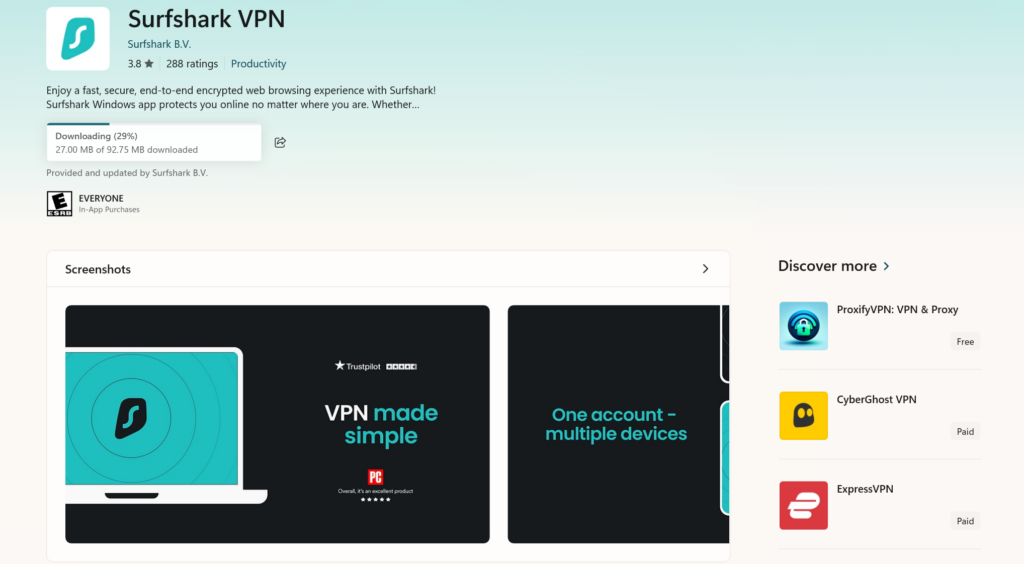
First, if possible, install the VPN application before restrictions tighten. How? Download via Microsoft App store on PC and Google Play Store on Android.
Search for VPN and pick the best vpn. Once installed, the app usually continues to function even if the main website is inaccessible. Signup, buy a plan and use.
For this, we have a discount/promo for you. Just make sure open this article via mobile. Click on any promo we have (including the one below) and get a deal.
Get SurfShark for 1.99 USD/mo + 3 mo. EXTRA. Avail this deal today!
Second, download only from official sources. Use verified app store listings or confirmed alternative domains provided by the company itself. Avoid third-party download sites.
Third, if a server fails, switch locations. Larger providers maintain extensive server networks, and blocked IPs are often replaced.
Fourth, use built-in obfuscation or stealth modes when available. These features are specifically designed for restrictive network environments.
Finally, understand that connectivity may fluctuate during enforcement cycles. Temporary instability does not mean permanent shutdown.
Using a VPN for Online Privacy
A VPN encrypts your traffic between your device and the VPN server. It does not make you anonymous by default. It does not erase your browser fingerprints. It does not stop apps from collecting data.
If you are using a VPN in Pakistan, especially during periods of network filtering, you should understand what it does and what it does not do. Here are realistic privacy habits that matter more than marketing slogans.
1. Use the Full App, Not the Browser Extension
Browser extensions only tunnel browser traffic. Your system updates, background apps, cloud sync, and messaging software may bypass the VPN.
If you want full-device protection, use the desktop or mobile application.
2. Enable Kill Switch
A kill switch blocks internet access if the VPN connection drops unexpectedly. Without it, your device can silently reconnect to your ISP without encryption.
In unstable enforcement cycles, this matters.
3. Turn On Obfuscation or Stealth Mode
If your VPN provider offers stealth, obfuscation, or anti-censorship modes, enable them. These features make VPN traffic look like regular HTTPS traffic.
In restrictive environments, this improves connection stability.
4. Use Private DNS or Encrypted DNS
Some filtering happens at the DNS level. Using encrypted DNS inside the VPN app or on your device reduces DNS-based blocking and tracking.
Many modern VPN apps include this by default, but check your settings.
5. Avoid Free VPNs
Free VPN services often log user data, inject ads, or sell bandwidth. In restrictive regions, some free VPNs are deliberately allowed to function because they are easy to monitor.
Infrastructure costs money. If a VPN is completely free, you are likely the product. Avoid all unregistered VPN apps. Consider them a plague.
If free VPN is what you want, select Proton VPN free plan or SurfShark.
6. Keep Your App Updated
Server rotation and protocol updates happen regularly. If your VPN app is outdated, you may struggle to connect because you are trying to access deprecated infrastructure. This will surely expose your Pakistani IP.
Updates improve both performance and resilience.
7. Do Not Treat VPN as a Legal Shield
A VPN encrypts traffic. It does not change local laws. It does not prevent account-level tracking on platforms where you are logged in. Your online activity is muffled not erased.
If you log into your email, social media, or banking apps, your identity is tied to those accounts regardless of your Pakistani IP address.
Privacy is layered. Even the best VPN is just one layer at best.
The Reality of VPN in Pakistan
VPN in Pakistan is very much working.
Connecting via VPN you can switch Netflix region, use streaming platforms like Amazon Prime Video, BBC iPlayer and connect Telegram.
What gets blocked is usually visibility and convenience. What continues working is encrypted networking itself.
And as long as strong encryption remains foundational to the modern internet, VPN usage will continue adapting rather than disappearing.
Get 70% off on Proton VPN today!




Excellent article, very detailed!